
Apple Vision Pro 256GB
Product description
From Apple
Apple Vision Pro and visionOS overview
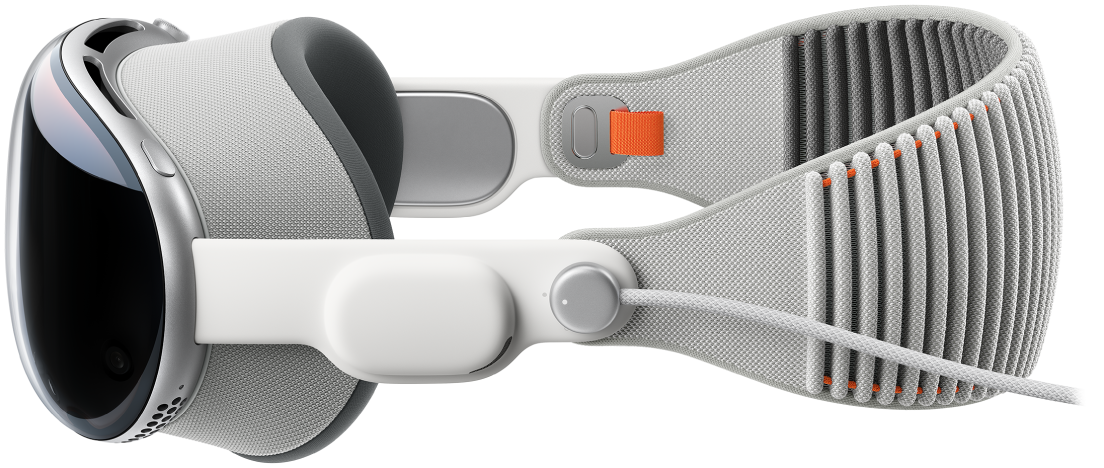
Welcome to Apple Vision Pro, a spatial computer that blends digital content and apps into your physical space, and lets you navigate using your eyes, hands, and voice. With visionOS on Apple Vision Pro, you can use built-in apps like Apple TV, Safari, and Photos, transform your space with Environments, connect with others in FaceTime calls, and download great third-party apps from the App Store.
This guide helps you discover all the amazing things Apple Vision Pro can do with visionOS.
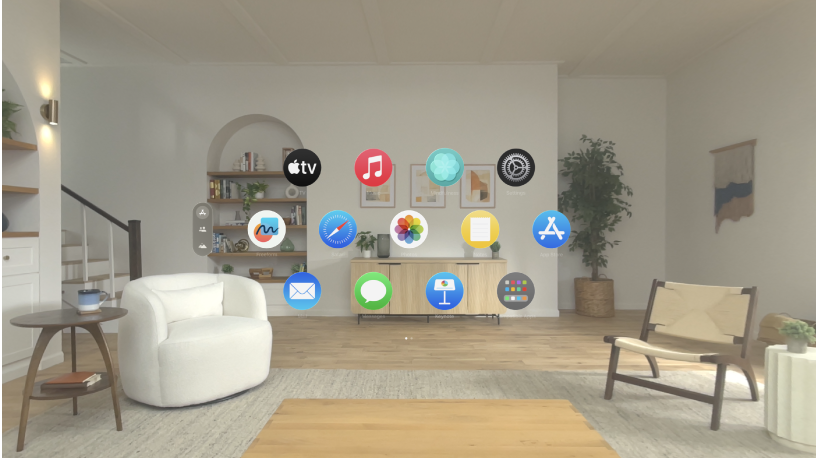
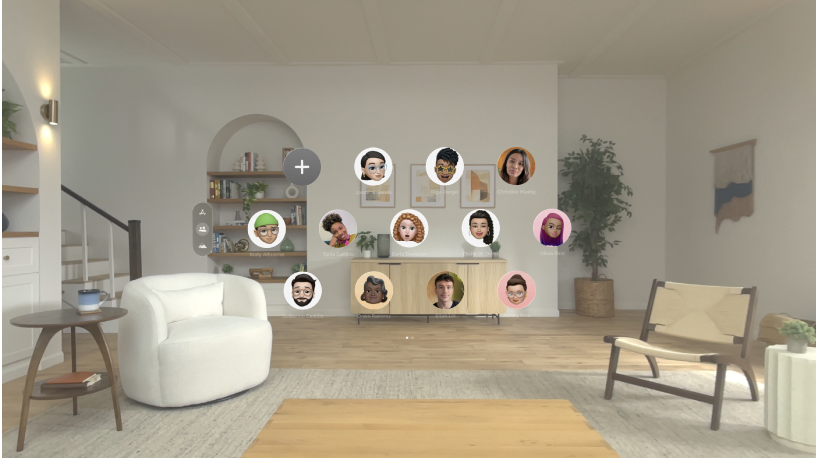
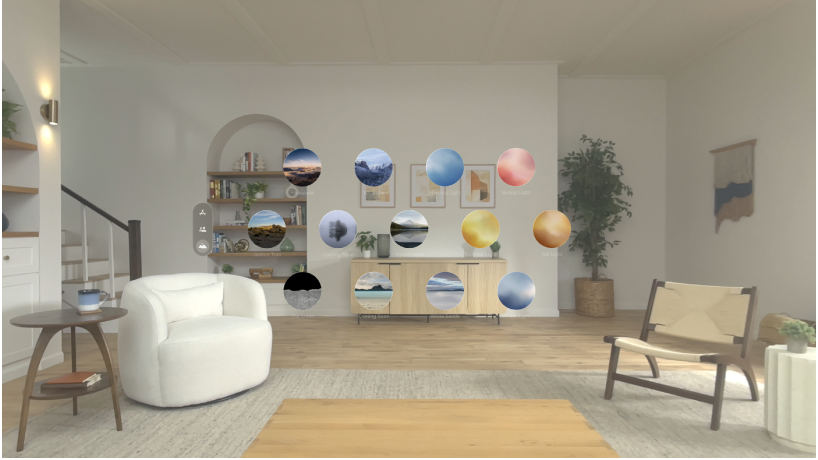
Your experience with Apple Vision Pro begins in Home View. From there, you can use the tab bar on the left to navigate between Apps, People, and Environments. Apps View has the familiar apps you know, which you can open with just a tap. People View allows you to connect with others, and Environments View transforms your surroundings with immersive landscapes, letting apps expand beyond the dimensions of your room.
Apps View
On Apple Vision Pro, you can open all your apps from one place—Apps View. In addition to apps designed for visionOS, the Compatible Apps folder contains familiar iPad and iPhone apps that work with your Apple Vision Pro. You can open multiple apps and arrange them in your space however you like.
People View
People View helps you stay in touch with friends, family, and coworkers. In People View, you can make FaceTime calls, send messages, check contact information like birthdays and addresses, and more.
Environments View
Environments transform the space around you with beautiful three-dimensional scenes. At any time, you can turn the Digital Crown to adjust your immersion and see more or less of your surroundings. When you’re in an Environment, use Control Center to change the volume of sounds—like rain sounds in Mount Hood—and set your Environment to Light or Dark.
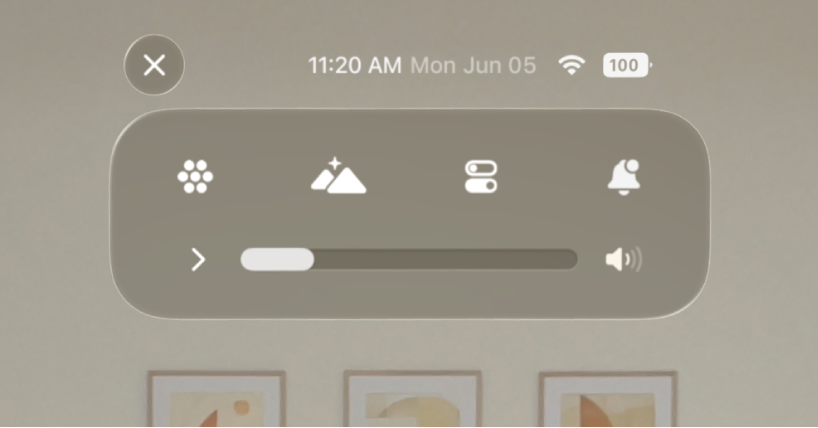
Control Center
Control Center lets you quickly access Home View and Notification Center, see the time of day and your battery level, and more. Just look up, then tap near the top of your view.
Technical Details
Apple Vision Pro with Apple M2 Chip
Display
- 23 million pixels
- 3D display system
- Micro‑OLED
- 7.5‑micron pixel pitch
- 92% DCI‑P3
- Supported refresh rates: 90Hz, 96Hz, 100Hz
- Supports playback multiples of 24fps and 30fps for judder‑free video
Video Mirroring Up to 720p AirPlay for mirroring your view in Apple Vision Pro to any AirPlay‑enabled device, including iPhone, iPad, Mac, Apple TV (2nd generation or later), or AirPlay‑enabled smart TV
Chips

- 8‑core CPU with 4 performance cores and 4 efficiency cores
- 10‑core GPU
- 16‑core Neural Engine
- 16GB unified memory

- 12‑millisecond photon‑to‑photon latency
- 256GB/s mem
Camera
- Stereoscopic 3D main camera system
- Spatial photo and video capture
- 18 mm, ƒ/2.00 aperture
- 6.5 stereo megapixels
Sensors
- Two high‑resolution main cameras
- Six world‑facing tracking cameras
- Four eye‑tracking cameras
- TrueDepth camera
- LiDAR Scanner
- Four inertial measurement units (IMUs)
- Flicker sensor
- Ambient light sensor
Optic ID
- Iris‑based biometric authentication
- Optic ID data is encrypted and accessible only to the Secure Enclave processor
- Secures personal data within apps
- Make purchases from the iTunes Store and App Store
Audio Technology
- Spatial Audio with dynamic head tracking
- Personalized Spatial Audio and audio ray tracing
- Six‑mic array with directional beamforming
- Supports H2‑to‑H2 ultra‑low‑latency connection to AirPods Pro (2nd generation) with MagSafe Charging Case (USB‑C)
Audio PlaybackSupported formats include AAC, MP3, Apple Lossless, FLAC, Dolby Digital, Dolby Digital Plus, and Dolby Atmos
Video PlaybackSupported formats include HEVC, MV‑HEVC, H.264, HDR with Dolby Vision, HDR10, and HLG
Battery
- Up to 2 hours of general use
- Video watching up to 2.5 hours
- Apple Vision Pro can be used while charging the battery
Connectivity and Wireless
- Wi‑Fi 6 (802.11ax)
- Bluetooth 5.3
Operating System
- visionOS
Input
- Hands
- Eyes
- Voice
Supported Input Accessories
- Keyboards
- Trackpads
- Game controllers
Accessibility
Accessibility features help people with disabilities get the most out of their new Apple Vision Pro. With built‑in support for vision, hearing, mobility, and learning, you can create and do amazing things.
Features Include
- VoiceOver
- Zoom
- Color Filters
- Hearing Device Support
- Closed Captioning
- Voice Control
- Switch Control
- Dwell Control
- Pointer Control
- Support for Made for iPhone bi‑directional hearing aids
- Support for Made for iPhone switch controllers
In the Box
14-inch MacBook Pro, 70W USB-C Power Adapter, USB-C to MagSafe 3 Cable (2m)
Interpupillary
Distance (IPD)
51–75 mm
Weight
21.2–22.9 ounces (600–650 g)
Weight varies depending on Light Seal and head band configuration. Separate battery weighs 353 g.
Electrical and
Environmental
Requirements
Operating ambient temperature:32º to 86º F (0º to 30º C)
Storage temperature:−4º to 113º F (−20º to 45º C)
Relative humidity:0% to 95%
Release Date
Feb 22nd 2024