
Copilot+ PCs Explained: Is the Snapdragon Surface Laptop Worth It?

Copilot+ PCs Explained: Is the Snapdragon Surface Laptop Worth It?
AI has become one of the biggest selling points in the laptop market, but not every laptop carrying an “AI PC” label offers the same experience. Microsoft’s Copilot+ PC category goes a step further by requiring dedicated hardware for on-device artificial intelligence.
One of the most prominent examples is the Microsoft Surface Laptop 7th Edition, powered by Qualcomm Snapdragon X processors. It combines a premium Surface design with Windows 11, a dedicated AI processor and the efficiency advantages of an Arm-based platform.
But beyond the Copilot+ branding, is the Snapdragon Surface Laptop actually a good laptop to buy?
For Nigerian users, the answer is largely yes—but with one important condition: you need to make sure your essential Windows applications and accessories are compatible with Windows on Arm.
What Exactly Is a Copilot+ PC?
Copilot+ is not simply Microsoft's name for a laptop that has access to the Copilot chatbot.
A Copilot+ PC must meet specific hardware requirements, including an NPU capable of at least 40 trillion operations per second (TOPS), at least 16GB of RAM and 256GB of storage. The NPU is a dedicated processor designed to handle AI workloads locally rather than sending every task to the cloud.
That distinction matters.
On compatible devices, Microsoft's Windows AI features can use the NPU for tasks such as image processing, Windows Studio Effects and other on-device experiences. The idea is to make AI features faster and potentially more efficient while reducing the need to constantly send certain workloads online.
The Snapdragon Surface Laptop was one of the products that helped establish this new generation of Windows PCs.
The Snapdragon Surface Laptop: What You Get
The Surface Laptop 7th Edition comes in 13.8-inch and 15-inch versions. The 13.8-inch model can be configured with Snapdragon X Plus or Snapdragon X Elite, while the 15-inch version uses Snapdragon X Elite. Both use a Qualcomm Hexagon NPU rated at 45 TOPS.
The 13.8-inch version is arguably the sweet spot for people who want portability. It weighs about 1.34kg and has a 2304 × 1536 touchscreen with Microsoft's 3:2 aspect ratio.
The 15-inch version increases the workspace to 2496 × 1664 and weighs approximately 1.66kg.
Both displays support dynamic refresh rates up to 120Hz, making scrolling and animations noticeably smoother than traditional 60Hz laptop panels.
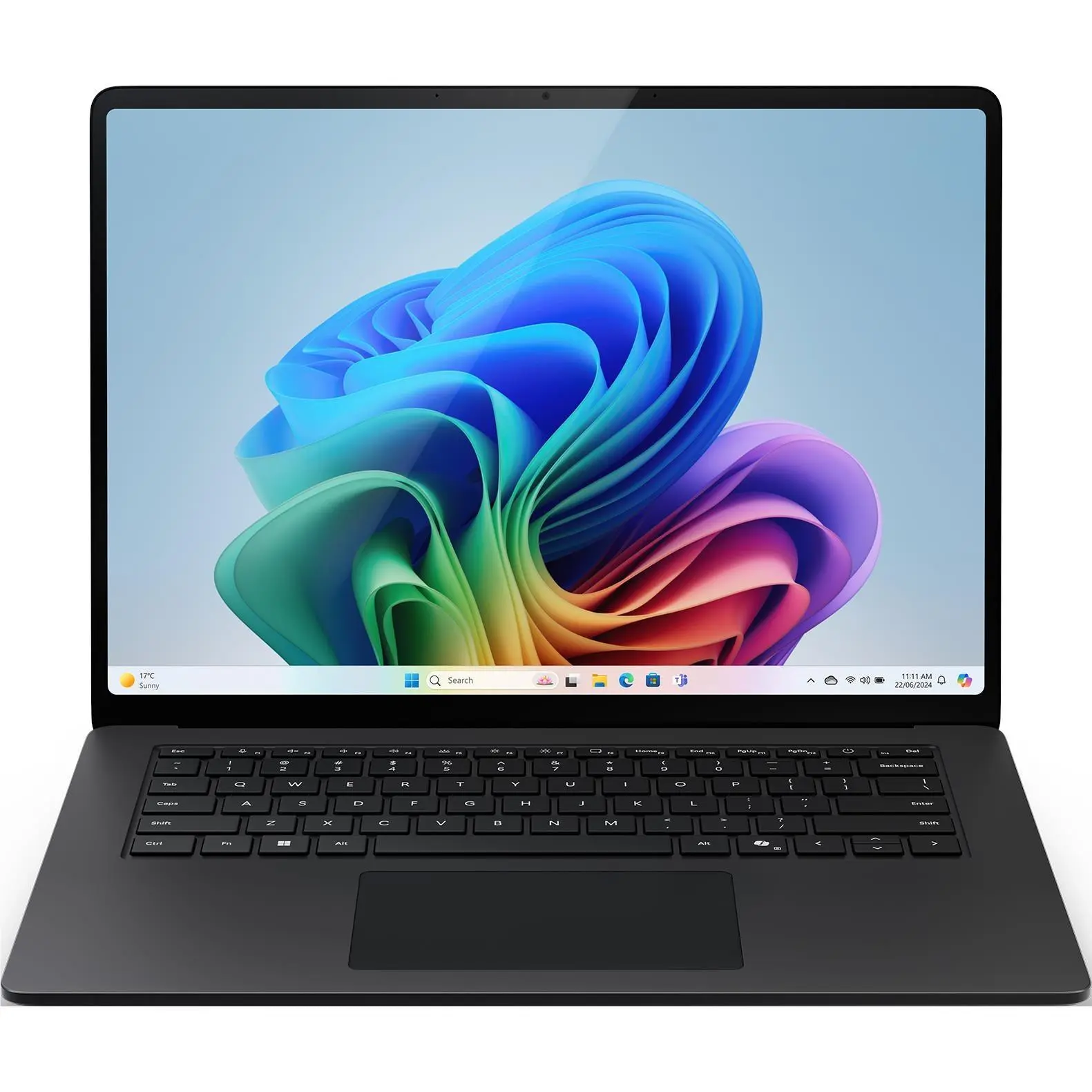
The larger 15-inch Surface Laptop provides more screen space while retaining the slim Surface design.
Performance: Snapdragon Makes Sense for Everyday Work
The biggest attraction of the Snapdragon Surface Laptop isn't necessarily raw benchmark numbers. It is the combination of performance and efficiency.
For everyday tasks—Microsoft 365, web browsing, video meetings, research, document creation, coding, presentations and multitasking—the Snapdragon X platform gives the Surface Laptop the responsiveness expected from a premium modern notebook.
Windows on Arm has also matured considerably. Microsoft says most Windows applications can now run on Arm-based PCs, with native Arm64 applications delivering the best performance. Applications that haven't been converted can run through emulation, with Windows 11's Prism technology improving compatibility and performance.
That makes the Surface Laptop much easier to recommend than earlier generations of Windows-on-Arm machines.
Battery Life Is One of Its Biggest Advantages
Battery life is where the Snapdragon platform becomes particularly interesting.
Microsoft rates the 13.8-inch Snapdragon Surface Laptop for up to 20 hours of local video playback, while the 15-inch model is rated for up to 22 hours. Microsoft's separate active-web tests put the figures at up to 13 hours and 15 hours respectively. These are laboratory results, so real-world usage will vary.
For someone moving between home, office, university, meetings and cafés, that efficiency can be more useful than having a processor that is simply faster in a benchmark.
It is also attractive in Nigeria, where access to reliable electricity can vary. A laptop that can comfortably handle long working sessions away from a charger can be a meaningful practical advantage.
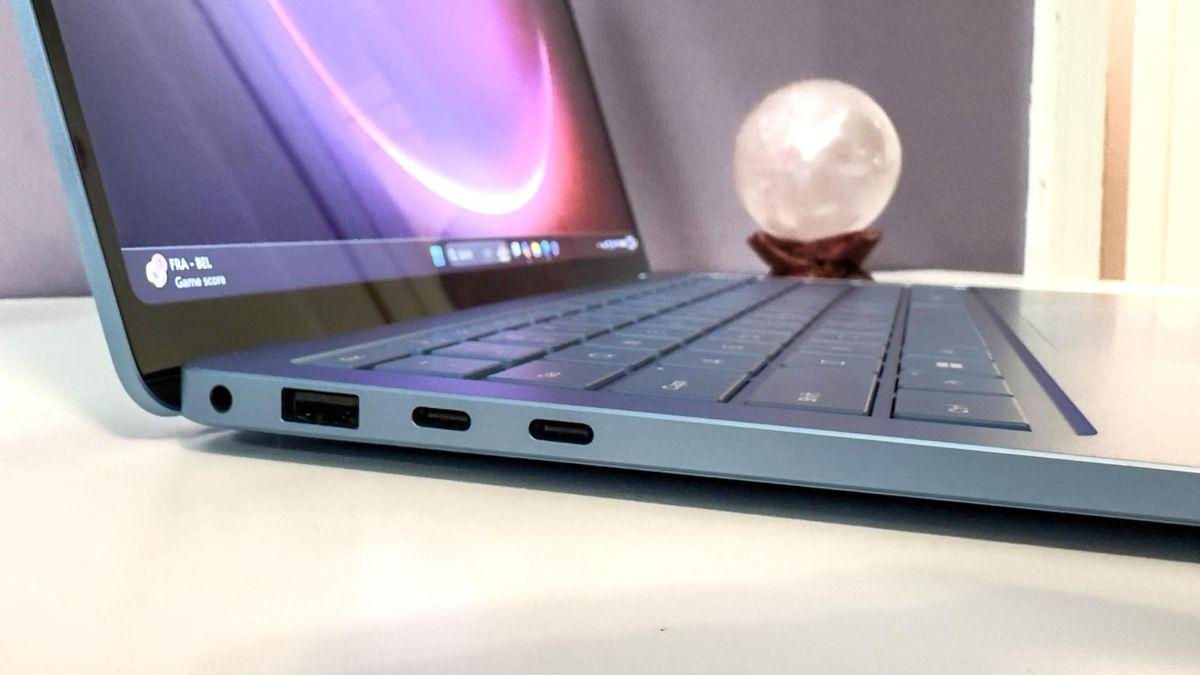
The Surface Laptop combines a slim chassis with a practical selection of ports.
The Design and Features Feel Properly Premium
Microsoft has kept the Surface Laptop relatively understated. The aluminium construction, high-resolution touchscreen, comfortable keyboard and precision haptic touchpad give it the feel of a premium productivity machine rather than an experimental AI device.
Connectivity is also reasonably practical. The 13.8-inch model has two USB-C/USB4 ports, USB-A, a headphone jack and Surface Connect. The 15-inch model adds a microSDXC card reader. Both support Wi-Fi 7 and Bluetooth 5.4.
The 1080p Surface Studio Camera is another useful feature for professionals working remotely, while Windows Studio Effects can provide features such as automatic framing, Portrait Blur, Eye Contact and Portrait Light.
But There Is One Major Catch: Windows on Arm
This is the section Nigerian buyers should pay the most attention to.
Although Windows on Arm compatibility has improved significantly, it isn't identical to using an Intel or AMD Windows laptop.
Microsoft confirms that most applications work, either natively or through emulation. However, applications and accessories that depend on specific drivers can still present compatibility problems. Certain games using unsupported anti-cheat drivers can also fail to work.
That means you should check your important software before buying.
If your workload is primarily Microsoft Office, Chrome, Edge, Zoom, WhatsApp, general web applications, programming tools and other mainstream software, the Snapdragon platform is much less concerning.
If you depend on specialist engineering software, older enterprise applications, unusual peripherals, legacy drivers or particular PC games, verify compatibility first.

The Snapdragon Surface Laptop is particularly well suited to mobile productivity and professional workflows.
Is It Worth the Money in Nigeria?
Casper Gadgets currently lists several Snapdragon Surface Laptop configurations. The 13.8-inch Surface Laptop 7th Edition with Snapdragon X Elite, 32GB RAM and 1TB SSD is listed at ₦2,455,000, while the 15-inch version with 32GB RAM and 1TB SSD is listed at ₦2,705,000. Casper also lists a smaller 13-inch Snapdragon X Plus configuration with 16GB RAM and 512GB storage from ₦1,805,000.
At these prices, the Surface Laptop is firmly positioned as a premium Windows machine.
That means the decision should not be based solely on the Copilot+ label. You are paying for the complete package: premium construction, excellent touchscreen displays, Snapdragon efficiency, strong battery potential, modern connectivity and Microsoft's Surface experience.
For a student, consultant, business professional, content writer, developer working with compatible tools or frequent traveller, the combination makes considerable sense.
For a gamer or specialist professional with software that has uncertain Arm support, an Intel- or AMD-powered Windows laptop may be the safer choice.

Who Should Buy the Snapdragon Surface Laptop?
Buy it if you want:
- A premium Windows laptop for productivity and business.
- Long battery life and efficient performance.
- A high-quality touchscreen display.
- Built-in Copilot+ and on-device AI capabilities.
- A lightweight laptop for work, school and travel.
- A modern Windows machine with Wi-Fi 7 and USB4.
Think twice if you need:
- Specialist Windows software with no Arm version.
- Hardware that depends on unsupported drivers.
- Certain competitive PC games with anti-cheat requirements.
- Legacy applications that haven't been tested on Windows on Arm.
Frequently Asked Questions
Is the Surface Laptop a Copilot+ PC?
Yes. Snapdragon-powered Surface Laptop 7th Edition models meet Microsoft's Copilot+ requirements, including a 45-TOPS Qualcomm Hexagon NPU.
Is Snapdragon good for Windows laptops?
Yes. Windows on Arm has matured significantly, with native Arm applications and improved emulation for x86 and x64 software. Compatibility should still be checked for specialist applications and peripherals.
Which Surface Laptop should I choose?
The 13.8-inch model is the better fit if portability matters most. The 15-inch model makes more sense if you value a larger workspace for spreadsheets, multitasking, editing and professional work.
Is Copilot+ worth paying extra for?
It can be, but don't buy a Copilot+ PC solely because of the AI label. Consider the laptop's processor, battery life, display, memory, storage and—most importantly—whether your applications work properly on its platform.
Ready to experience the power of a Copilot+ PC? Explore the Microsoft Surface Laptop 15-inch 7th Edition with Snapdragon X Elite, 32GB RAM and 1TB SSD at Casper Gadgets.